



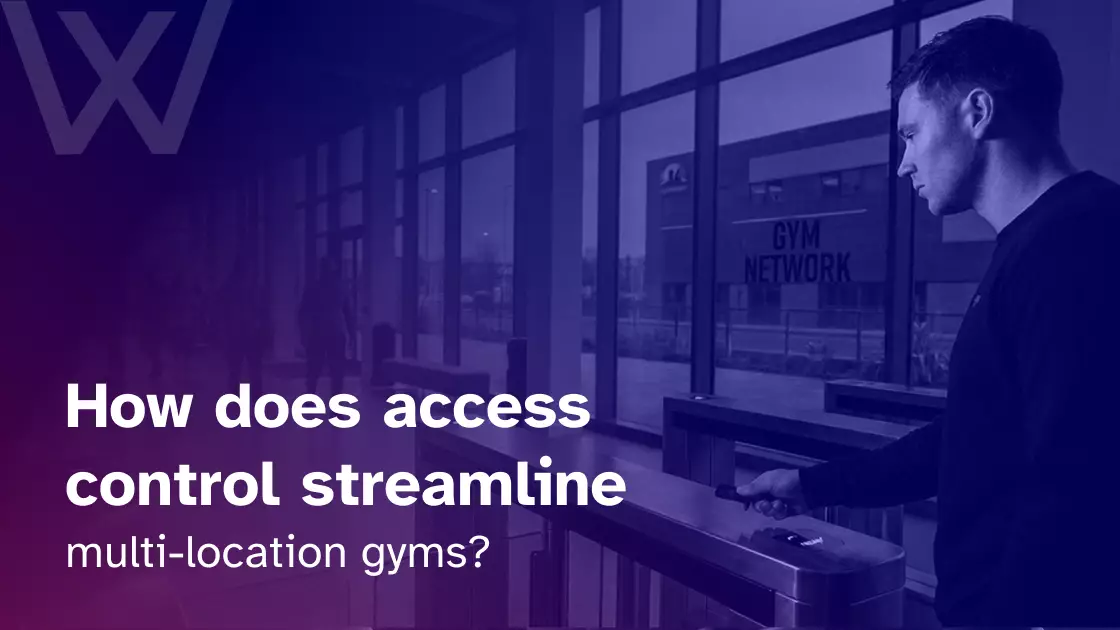
Access control streamlines multi-location gyms by centralizing entry management, automating member permissions, and giving operators one view of activity across every branch.
Instead of maintaining separate member lists, door schedules, and staff credentials at each site, the business can manage them through one connected system.
In one Reddit discussion, a Phoenix resident explained that they were considering a gym membership despite being short on money. With summer temperatures expected to reach 120°F, walking outdoors was becoming unrealistic. The resident also did not want to depend on someone else’s guest pass.
The discussion highlights something gym operators sometimes overlook: access and convenience are part of the membership’s real value. Members may join one location near home but need another branch closer to work or family, or simply need a safer indoor place to exercise. They should not have to rely on a guest pass, create another account, or wait for staff to confirm that their plan includes the location.
Yet that is exactly what can happen when branches use disconnected systems. A member may buy an all-location plan at the flagship gym, then find that their app is rejected at another site the next morning.
Elsewhere, a trainer may move to a different branch but retain access to their former location. A regional manager may be comparing six attendance exports that use different labels and reporting periods.
These problems come from the same source: the locations share a brand, but their access systems do not operate as one network.
Every additional location introduces more members, employees, schedules, credentials, restricted rooms, and entry decisions. The right multi-location gym access control system connects those decisions instead of forcing staff to repeat them at every branch.
What does centralized access control manage across multiple locations?
Access control for multi-location gyms lets operators manage member entry, staff permissions, schedules, zones, and access records from one connected platform.
Members can use approved credentials across eligible branches, while account changes and security rules are applied according to their membership tier, approved locations, and access hours.
Why access management becomes harder with every location
Adding another gym does not simply add another entrance. It adds another set of membership rules, operating hours, employees, guests, vendors, and restricted spaces.
When access systems are disconnected, these responsibilities multiply instead of scaling cleanly.
Membership confusion
Suppose a member buys a regional membership that covers three locations. Their profile is updated at Location A, but Location B maintains a separate database. The member arrives before work and is denied entry even though they have paid for access.
Staff may eventually resolve the problem, but the member remembers the locked door.
The same issue can affect:
- Membership upgrades
- Location transfers
- Corporate memberships
- Temporary travel access
- Premium facilities
- Off-peak plans
- Guest passes
A benefit sold as ‘access across the network’ quickly becomes a support problem when each location records or applies the membership differently.
Staff permission gaps
Employees rarely stay in one role forever. Trainers cover classes at other branches. Managers are promoted. Maintenance teams work across several sites. Temporary contractors may need access for only a few hours.
Without central control, old permissions are easy to miss. A trainer may keep access to a branch they no longer serve, or a former employee’s card may be removed at four locations but remain active at the fifth.
Policy drift
Small differences develop when every branch manages access independently.
One location allows guests during staffed hours. Another requires advance registration. A third gives cleaners unrestricted evening access because no one created a limited schedule.
Over time, the business no longer has one access policy. It has a collection of local habits.
Audit and reporting blind spots
Disconnected systems also fragment attendance and security records. A regional manager may receive six exports with different time zones, membership labels, and column headings.
Questions that should be simple become manual projects:
- Which branch has the busiest early mornings?
- Which members regularly visit more than one location?
- Where are rejected entries increasing?
- Which staff credentials remain active?
- How many members are inside during unstaffed hours?
The challenge is not merely the number of doors. It is the number of decisions and records behind those doors.
What does access control do for a multi-location gym?
At a single gym, access control may be little more than a reader checking a local member list.
Across several locations, it becomes the connection between member records, staff roles, physical entry points, payment rules, schedules, and attendance data.
Member portability
A unified member profile can carry:
- Membership status
- Included branches
- Permitted access hours
- Booked classes or services
- Premium-zone access
- Guest privileges
- Account restrictions
The same mobile app, key fob, card, or QR credential can then work at every eligible location.
This does not mean every member receives unrestricted entry. A single-site member should remain limited to their home branch. A regional member may enter three sites. An all-location member may use the full network but still be excluded from premium rooms they have not purchased.
Staff role hierarchy
Permissions should reflect the way the organization works.
A trainer may enter two branches during scheduled hours. A branch manager may administer one site. A regional manager may review several locations, while the corporate team can see the wider network.
The principle is simple: people should receive the access they need, not every permission the system can provide.
Cross-site audit trail
Each approved or rejected entry should record:
- The member or employee
- The location
- The door or zone
- The credential used
- The date and time
- The result of the request
Centralized records are useful because patterns and exceptions can be reviewed in one place. CISA’s guidance on business logging similarly recommends centralizing activity records so unusual behavior is easier to detect and investigate.
How the entry decision works
A typical entry follows four steps:
- The member presents a mobile credential, card, key fob, barcode, or QR code.
- The platform checks their account, location, schedule, and zone permissions.
- The reader or local controller approves or rejects the request.
- The event is added to the central attendance or security record.
Operators comparing readers, credentials, hardware, and software connections can review what to expect from a leading access control system for a gym.
Six ways access control streamlines multi-location gym operations
The value of centralized access control is not limited to opening doors. It reduces repeated administration while helping each location enforce the same membership, staffing, and security decisions.
1. Give members seamless access across eligible locations
A member should not need a different account, card, or app every time they use another location in the same network.
Cross-site roaming allows one approved credential to work at each branch included in the member’s tier. This can support:
- Single-location plans
- Selected-location memberships
- Regional passes
- All-location memberships
- Corporate packages
- Temporary travel access
- Premium-club upgrades
Consider a member who joins Location A because it is close to home, then upgrades when a new Location B opens near work. Once the upgrade takes effect, the existing credential can follow the revised permissions. Staff do not have to rebuild the member’s account at the second site.
Touchless entry can make this experience easier. Members may unlock approved doors with a smartphone app, rotating QR code, or NFC credential instead of carrying a physical key.
Physical credentials should not necessarily disappear, though. HID’s 2026 research found that 84% of end users with mobile deployments still maintained physical credentials, showing that hybrid access remains common.
A gym may therefore support mobile entry while retaining cards or fobs for members whose phones are unavailable, incompatible, or out of battery.
2. Synchronize membership and payment-related permissions
Access should follow the member’s current relationship with the business.
That may include:
- New membership activation
- Plan upgrades
- Plan downgrades
- Account freezes
- Cancellations
- Expired passes
- Failed payments
- Recovered payments
- Grace periods
When billing and access are connected, staff do not need to review an overdue list and manually disable credentials at every branch.
The exact rule still belongs to the operator. One business may restrict access as soon as a membership expires. Another may allow a short grace period after a failed payment while automated reminders are sent.
This distinction matters. Payment enforcement should protect revenue without turning every temporary payment-card issue into an embarrassing confrontation at the door.
The system should apply the chosen rule consistently across every location. A membership that is inactive at Location A should not remain active at Location C because the databases were updated at different times.
3. Manage every branch from one dashboard
A centralized dashboard gives authorized teams one place to manage doors, schedules, member permissions, staff roles, and access records.
Operators may use it to:
- Review entry activity across branches
- Deactivate a lost credential
- Grant temporary contractor access
- Update holiday schedules
- Change staff permissions
- Review rejected entries
- Compare branch attendance
- Apply network-wide rules
- Manage approved local exceptions
A regional manager should not need to call six front desks to revoke a former employee’s access. One verified update should change the relevant permissions across the network.
The word “instant” should still be used carefully. Update speed depends on the platform, internet connection, integration design, and local controller. Buyers should ask how quickly changes normally reach each location and what happens when a site is offline.
4. Control staff, contractors, and specialized zones
Multi-location access control should manage more than the front entrance.
Different users may need different permissions:
- Regional managers
- Branch managers
- Trainers
- Front-desk teams
- Cleaners
- Maintenance workers
- Contractors
- Temporary employees
Access can be limited by site, room, day, time, shift, or role.
A trainer may enter two branches between 5 a.m. and 9 p.m. but have no access to the server room or management office. A cleaner may enter after closing but not during busy member hours. A contractor may receive access to one equipment room for a single afternoon.
The same structure supports zoned member access. A standard member may enter the gym floor but not a premium recovery suite. Another plan may include the pool, VIP lounge, or private training area.
Zoned restrictions let a business sell different levels of access without relying on signs or staff memory to enforce them.
5. Protect membership revenue and reduce unauthorized entry
Multi-location businesses face more opportunities for credential sharing because members move between branches and employees cannot recognize everyone.
Digital controls may include:
- Dynamic or time-limited QR codes
- Device-linked mobile credentials
- Anti-passback rules
- Credential suspension
- Location limits
- Expiring guest passes
- Repeated-entry alerts
These tools can make it harder to screenshot a pass, lend a key fob, or use a credential at a location outside the member’s approved tier.
They do not solve physical tailgating by themselves. Someone may still follow an authorized member through an ordinary door.
Physical security may require:
- Turnstiles
- Speed gates
- Security portals
- Tailgating sensors
- CCTV
- Staffed oversight during busy periods
ASSA ABLOY describes speed gates, security portals, and controlled revolving doors designed to integrate with cards, smartphones, QR codes, and biometric readers. Some configurations include sensors intended to detect tailgating or piggybacking.
Biometrics can strengthen identity verification, but they are not a complete security plan. They also introduce privacy, consent, storage, and legal considerations that must be reviewed before installation.
6. Create one source of attendance and security data
A unified reporting system can bring together:
- Visits by location
- Cross-site check-ins
- Peak entry periods
- Staff attendance
- Rejected requests
- After-hours activity
- Credential changes
- Unusual access patterns
If the system records reliable entry and exit events or connects with occupancy hardware, operators may also see how many people are inside a location. Entry-only readers should not be assumed to provide an exact occupancy count.
The data can support practical decisions.
A regional manager might discover that Location A needs another cleaner after its evening rush, while Location C is nearly empty during the same hours. One branch may need more front-desk coverage at lunchtime, while another could safely extend unstaffed hours.
Access data can also show when a member’s visit pattern changes. It cannot explain the reason on its own, but it can give staff a useful signal to investigate.
How centralized access control preserves local flexibility
Centralized management does not require every location to follow an identical schedule.
Some decisions are best controlled across the network:
- Credential standards
- Membership eligibility
- Staff role templates
- Reporting definitions
- Restricted accounts
- Audit rules
- Company-wide security policies
Other decisions may remain local:
- Branch opening hours
- Special events
- Temporary room closures
- Contractor visits
- Maintenance access
- Guest credentials
- Local class schedules
Role-based administration creates a useful middle ground. Branch managers can handle approved local needs without changing settings for another location or the whole company.
This balance reflects the broader choice between centralized and decentralized gym management. Growing businesses often need central standards where inconsistency creates risk, and local freedom where managers need to respond quickly.
| Operational area | Fragmented approach | Centralized system with local rules |
| Member profiles | Recreated at each branch | One profile with location permissions |
| Staff access | Updated separately | Assigned by role, site, and schedule |
| Membership changes | May reach sites at different times | Distributed through one workflow |
| Reporting | Separate exports | Network-wide records |
| Local schedules | Fully independent | Managed within central guardrails |
| Restricted zones | Enforced manually | Connected to plans and roles |
How access control supports 24/7 operations across several gyms
One unstaffed gym needs a clear process for entry, monitoring, emergencies, and member support. Five unstaffed gyms need the same controls across five buildings without creating five isolated operating systems.
Digital credentials can verify memberships during early mornings, late nights, weekends, and holidays. They can apply access schedules, log entry attempts, and alert authorized staff when something unusual happens.
This reduces the need to staff every entrance during every open hour. It does not mean the business operates without people or safety planning.
A multi-site operator still needs:
- Reliable lighting
- Safe exit routes
- Emergency communication
- CCTV or suitable monitoring
- Incident-response procedures
- Insurance review
- Member conduct rules
- Processes for lost phones and credentials
- Power and internet outage procedures
Occupancy and entry data can help a roving team decide where attention is needed. A branch with several members inside at 4 a.m. may warrant a staff or security check, while an empty site may not.
Access technology is therefore one part of running a 24/7 gym, not a replacement for the wider operating plan.
How access control supports expansion and franchise growth
A gym expanding from two locations to six should not rebuild its entire permission structure four times.
A centralized system lets operators prepare standard access groups, membership tiers, staff roles, reports, and schedules before another site opens. The hardware still needs to suit the building, but the operating rules do not have to begin from an empty screen.
Faster new-location setup
New readers can be connected to existing member profiles and permission templates. Managers do not need to recreate every membership or import a fresh database for each branch.
The rollout time still depends on wiring, networking, locks, gates, and installation work. Cloud management simplifies the software side, not the physical realities of the building. Branches on upper floors of shared buildings add another layer, since elevator security for upper-floor gyms has to limit which floors each credential reaches.
Consistent member experience
Members should encounter:
- A familiar credential
- The same check-in process
- Clear tier restrictions
- Consistent account recognition
- Similar support procedures
The twentieth location should not feel like an unrelated business that happens to share the same logo.
Data continuity
A member moving between branches should keep the same:
- Membership history
- Billing status
- Attendance record
- Access credential
- Approved locations
- Service permissions
Franchise governance
Corporate teams may set minimum security, credential, and reporting standards, while franchise managers retain approved control over local hours, guests, and temporary access.
Unified access logs can also support incident reviews, insurance documentation, franchise audits, and expansion planning. They improve visibility, but they do not automatically guarantee legal compliance or remove liability.
How to roll out access control across existing locations
A reliable rollout is not about switching every branch at once. It is about testing the situations where permissions are most likely to fail.
Phase 1: Audit every site
Record:
- Entrances and internal doors
- Gates and turnstiles
- Readers and controllers
- Lock types
- Cabling
- Internet reliability
- Backup power
- Emergency exits
- Existing credentials
- CCTV and alarm connections
Differences between buildings should be documented before a single system is selected. The audit also shows where upgrading a gym entry system makes sense and where repairing or integrating the current setup is enough.
Phase 2: Define access groups
Create standard groups for:
- Members
- Guests
- Trainers
- Branch managers
- Regional managers
- Cleaners
- Contractors
- Maintenance teams
- Temporary employees
Configuring access permissions one person at a time creates unnecessary work and inconsistent rules.
Phase 3: Map memberships to locations and zones
Define which plans include:
- One location
- Selected locations
- A region
- The full network
- Off-peak hours
- 24/7 access
- Pools or recovery rooms
- VIP or premium zones
Phase 4: Pilot one or two locations
Test the complete membership life cycle:
- New signup
- Upgrade
- Downgrade
- Freeze
- Cancellation
- Failed payment
- Recovered payment
- Lost credential
- Staff departure
Also test internet interruptions, power loss, emergency exits, and manual fallback procedures.
Phase 5: Train administrators
Document who can:
- Add users
- Change schedules
- Grant temporary access
- Review logs
- Override a restriction
- Unlock a door remotely
- Handle an incident
Regional managers, branch managers, and front-desk teams should not all receive the same administrative rights.
Phase 6: Roll out and review
Track:
- Rejected entries
- Member complaints
- Manual overrides
- Synchronization delays
- Credential-sharing alerts
- Hardware faults
- Staff access errors
Fix recurring issues before moving to the next group of locations.
What to look for in a multi-location access-control system
The strongest system is not necessarily the one with the longest feature list. It is the one that fits the business’s membership structure, buildings, and operating model.
Use this checklist during evaluation:
Cloud-based administration
Can authorized teams manage every location from one account without maintaining a separate member database at each site?
Location hierarchy
Can the system organize branches by location, region, franchise, or corporate group?
Role-based permissions
Can each administrator see and change only the locations and settings assigned to them?
Membership and billing synchronization
How quickly do signups, upgrades, freezes, cancellations, and payment changes affect access?
Can the gym configure grace periods rather than applying the same payment rule to every situation?
Cross-site roaming
Can one approved credential work at each branch included in the member’s tier?
Multiple credential types
Can mobile apps, QR codes, NFC, cards, and key fobs remain attached to the same profile?
Zoned access
Can the system use membership plans and staff roles to control access to pools, recovery areas, offices, and equipment rooms?
Offline operation
Which credentials continue working if a branch loses internet access? How are offline events stored and synchronized afterward?
Hardware compatibility
Which locks, readers, turnstiles, controllers, and gates are supported?
Audit logs
Are entry attempts, permission changes, overrides, and administrative actions timestamped and searchable?
Integrations
Can the system connect with:
- Memberships
- Billing
- Booking
- CRM
- Attendance
- CCTV
- Alarms
- Reporting tools
Scalable pricing
Review the full cost of:
- Hardware
- Installation
- Per-door fees
- Per-location licenses
- Member-based pricing
- Support
- Maintenance
- Future expansion
A connected gym access control system should tie physical entry to membership status, services, schedules, attendance, and approved locations. The system also supports centralized multi-location rules, payment-related grace periods, mobile and QR access, reporting, and offline entry that synchronizes after connectivity returns.
Where Wellyx fits into multi-location access management
Wellyx connects access control with the wider gym operation rather than treating each reader as a separate system.
Membership records, billing status, location permissions, service access, attendance, and staff roles can remain attached to the same profile. That means an account change can follow the member across approved locations without staff rebuilding the record at every branch.
For multi-location operators, Wellyx gym management software also provides central oversight with location-level permissions and reporting. The practical value is not simply another dashboard. It gives staff fewer disconnected records to maintain as the business grows.
FAQs
1. How does access control work in a multi-location gym?
A multi-location access-control system connects each branch’s readers, doors, and internal zones with a central membership and permissions database. When a member presents a card, key fob, QR code, NFC credential, or mobile app, the system checks their current membership, approved branches, permitted hours, and zone rights. The local reader then approves or rejects the request. The result is recorded against the same profile, giving authorized teams a network-wide view of member and staff access activity.
2. Can members use one card or app at all gym locations?
Yes, when the person’s membership includes those locations and the system supports cross-site credentials. One card, app, QR code, or key fob can connect to a central member profile rather than a single branch database. The system can still restrict entry by location, membership tier, schedule, service, or internal zone. An all-location member may enter several branches, while a single-site member using the same type of app remains limited to their home gym.
3. Is cloud-based access control better for multi-location gyms?
Cloud-based administration is usually better suited to multi-location gyms because authorized teams can manage branches, permissions, and reports from one account. It also makes it easier to update policies and add locations without creating a new administrative system each time. However, buyers should still examine hardware compatibility, offline operation, administrator security, synchronization speed, ongoing fees, and vendor support. A cloud dashboard is useful only when the local doors continue operating reliably.
4. What happens if one gym loses internet access?
That depends on the access-control design. Some systems keep a local copy of approved credentials or permission rules, allowing the site to process basic entry requests during a temporary outage. Entry events are stored locally and synchronized when the connection returns. Operators should ask which credentials work offline, how long cached permissions remain valid, whether recent cancellations are recognized, and what staff should do if both internet and power are unavailable.
5. How does access control support 24/7 gym operations?
Access control verifies member eligibility when the reception desk is unstaffed. It can apply time-based permissions, restrict inactive accounts, record entry events, and support remote oversight across several locations. It may reduce the need to staff every entrance during every open hour, but it does not replace a safety plan. A 24/7 gym still needs monitoring, emergency communication, suitable lighting, safe exits, insurance review, incident procedures, and clear rules for members using the facility alone.
Growth should not create another access silo
Every new gym adds doors, members, employees, schedules, and operational decisions. It should not add another disconnected database.
Centralized access control lets operators manage the network as one business while keeping the local rules each branch needs. Members receive smoother cross-site entry. Staff spend less time repeating updates. Managers gain clearer attendance and security records.
The physical entrance does not change the business on its own. What matters is whether the membership, payment, permission, and reporting systems behind it are connected.
Wellyx brings memberships, payments, attendance, staff permissions, and access control into one platform for operators managing multiple locations.
Whether you’re operating two clubs or expanding into a nationwide network, Wellyx helps you deliver secure, seamless member access while keeping every location connected from a single dashboard.