



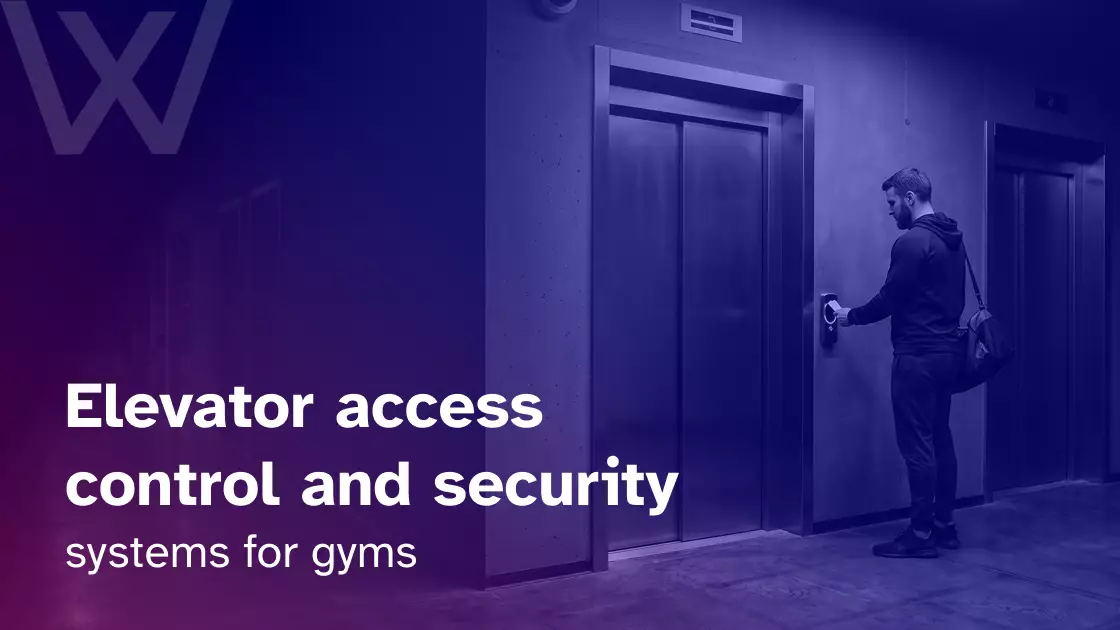
A member walks into the lobby of a high-rise building and heads for the elevator. The gym occupies floors five and six. Offices sit above it, apartments are below, and a recovery area on floor six is reserved for premium members.
Getting into the lobby should not mean getting access to every floor.
Elevator access control for gyms verifies a member, employee, guest, or contractor and allows that person to reach only the floors their permissions authorize. Those permissions can depend on membership status, staff role, time, booking, temporary access, or location.
That is the distinction that matters. General gym access control asks,
“Can this person enter?”
Elevator access control asks,
“Which floor can this authorized person reach?”
A useful way to think about the full journey is:
Identity → Permission → Floor → Time → Access record
What is an elevator access control system?
An elevator access control system determines which floors an authenticated person can reach. For a gym, this might mean giving every active member access to the main training floor while reserving another floor for premium recovery services, staff offices, or scheduled classes.
The main parts usually include:
- Credential: A card, key fob, mobile credential, PIN, or supported biometric credential.
- Reader: Reads or verifies the credential.
- Access controller: Checks the access rules assigned to the user.
- Elevator interface: Communicates the approved floor authorization to the elevator system.
- Floor permissions: Define which destinations are available.
- Access logs: Record successful or denied requests where supported.
Authentication does not always happen in the same place. A user may authenticate before entering the elevator, at a reader inside the elevator cab, or through a destination-control system.
KONE, for example, documents elevator destination systems that can integrate with building access control and use credentials such as access cards and PINs.
The important part for a gym is not the elevator button. It is the permission behind it.
How elevator access control differs from door access control
A locked gym door solves an entrance problem. It does not automatically solve a floor-access problem.
| Door access control | Elevator access control |
| Decides whether someone can pass through an entrance | Decides which floors someone can reach |
| Restricts doors, gates, or rooms | Restricts vertical movement |
| Useful in most fitness facilities | Most useful in multi-floor or shared buildings |
| Protects entrances and individual spaces | Protects floor-level destinations |
| Often managed directly by the gym | May require building and elevator-provider coordination |
A member’s journey could look like this:
Building entrance → Elevator → Gym floor → Premium or restricted room
Each point can use a different access rule.
A standard member might be allowed through the lobby entrance and authorized for the fifth-floor gym. That does not mean the same credential should open a staff office or make the sixth-floor recovery suite available.
That separation is why a gym elevator security system should be planned as its own access layer rather than treated as another door reader.
How elevator floor authorization works
The technical setup varies between buildings, but the permission process can usually be understood in five steps.
1. The user presents a credential
A person first identifies themselves using a credential supported by the installed system. That could be:
- Access card
- Key fob
- Mobile credential
- PIN
- Biometric credential where appropriate
2. The system verifies identity
The credential is linked to a person or user category.
For a gym, that could be a standard member, premium member, coach, personal trainer, manager, guest, cleaner, contractor, or temporary visitor.
3. Permission rules are checked
The system checks what that person is permitted to access.
In a compatible connected setup, permissions may depend on:
- Active membership
- Membership tier
- Staff role
- Booking
- Time window
- Location
- Temporary visitor status
4. Approved floors become available
The elevator system permits or assigns only the destinations the user is authorized to reach.
A standard member might receive access to floor five. A premium member might have floors five and six. A cleaner could receive both floors, but only during an early-morning cleaning window.
5. The event is logged
Depending on the access platform and elevator integration, the event record may contain the credential, date, time, approval or denial, and requested or authorized floor.
The credential proves who the person is. The permission determines where that credential can take them.
Elevator integration and destination dispatch
Destination dispatch changes the normal elevator journey.
Instead of stepping into an elevator and selecting any available floor, a person may choose or be assigned a destination before entering the cab. The system can then send the passenger to an appropriate elevator.
The U.S. Access Board describes destination-oriented elevators as systems where passengers indicate their destination while calling the elevator, with lobby indicators directing them to the appropriate car.
For a gym, destination control becomes more useful when the building has:
- Multiple fitness floors
- Premium or recovery levels
- Staff-only floors
- Shared office or residential areas
- High passenger traffic
- Different user groups
The bigger issue, however, is usually integration.
A gym may need to coordinate with the building owner, property manager, elevator contractor or manufacturer, security integrator, access-control provider, and gym software provider.
Gym software can define who should have access. The elevator-control system determines how that floor permission is physically enforced.
That difference matters because many gyms lease space and do not own the elevators.
Before planning elevator card access or mobile elevator access, find out:
- Who owns the elevator?
- Who maintains it?
- Who can approve modifications?
- Which elevator controller is installed?
- Which access-control interfaces does it support?
For new builds and major renovations, these decisions should happen early. The access control system planning and design guide for architects covers the wider relationship between access rules, hardware, building design, and user flow.
Use memberships, roles, bookings, and schedules to control floor access
A credential should not define access by itself. The permission attached to the credential does.
That becomes especially useful when a gym sells different memberships or operates several services across separate floors.
| User | Possible floor access |
| Standard member | Main gym floor |
| Premium member | Main gym + recovery floor |
| Class member | Studio floor during permitted access period |
| PT client | Training floor during scheduled session |
| Coach | Gym + approved staff areas |
| Manager | Gym + office/admin areas |
| Cleaner | Assigned floors during scheduled hours |
| Guest | Gym floor during temporary access |
| Canceled member | No member floor access |
Where the gym platform, access-control system, and elevator infrastructure support the required integration, access rules can follow changes in the member or staff record.
For example:
- Membership upgrade → additional floor permission
- Membership freeze → relevant access restricted
- Cancellation → member access revoked
- Staff departure → staff permissions removed
- Guest pass expires → temporary access ends
Time can become another part of the rule.
A 24/7 member may have access outside staffed hours. A cleaner may reach several gym levels before opening. A contractor may receive access between 9:00 a.m. and 11:00 a.m. for scheduled maintenance.
Booking-based access can also make sense where supported. A member attending a specialist class or PT appointment may need access to a particular floor around the scheduled session without receiving permanent access to that level.
This is where the connection between gym operations and physical access becomes useful. The gym access control integrations guide explains the broader role integrations can play in connecting member information and access workflows.
Platforms such as Wellyx can sit within the membership and access-management layer by keeping member status, bookings, and operational information connected. The exact elevator integration must still be confirmed against the building’s elevator controller and access-control hardware.
Which gyms benefit most from elevator access control?
An elevator does not automatically need access control. The need appears when different users should have different floor permissions.
Common examples include:
- Multi-floor gyms: Training, classes, recovery services, offices, and premium facilities may occupy separate levels.
- High-rise fitness clubs: Elevators may also serve offices, apartments, or other tenants.
- Hotel gyms: Hotel guests, outside members, trainers, and staff can require different permissions.
- Residential gyms: Residents, guests, trainers, cleaners, and maintenance teams may need separate access.
- Office-building gyms: Gym membership should not give someone permission to reach unrelated tenant floors.
- Mixed-use or mall gyms: Lobby access, elevators, gym entrances, and internal areas may all have separate controls.
The question is not whether the property has an elevator. It is whether everyone using that elevator should be able to reach the same places.
Choosing card, fob, mobile, or biometric elevator access
The best credential depends less on what feels newest and more on what the existing building can support reliably.
| Credential | Main consideration |
| Card | Familiar and widely used |
| Key fob | Simple physical credential |
| Mobile | Convenient digital issuing and revocation where supported |
| PIN | Can work for temporary or fallback access |
| Biometric | May suit higher-security environments |
Mobile elevator access is already supported by some manufacturer systems. Schindler documents platforms where a smartphone can be used for authentication, elevator calls, and destination selection. KONE also provides mobile functionality for calling elevators and managing user access.
For a gym, the choice should consider:
- Existing infrastructure
- Member experience
- Security requirements
- Elevator compatibility
- Cost
- Accessibility
- Credential administration
Again, the credential identifies the person. Floor authorization decides where they can go.
Fire safety, failures, and accessibility need separate planning
An elevator access system works inside a much larger building-safety environment. Normal membership rules cannot be designed in isolation from emergency and accessibility requirements.
Emergency operation comes first
Elevators can have emergency operating functions that override normal passenger operation. NFPA explains that fire alarm systems can interact with functions such as elevator recall, while the exact required behavior depends on the applicable codes and installation.
A gym should therefore confirm:
- What happens to normal access restrictions during an emergency?
- How does firefighter recall interact with the access-control system?
- Which overrides apply?
- Who tests the completed setup?
Exact requirements should be confirmed with qualified elevator, fire-safety, security, and building professionals under applicable local requirements.
Plan for power and network failures
Do not evaluate a system only while everything is operating normally.
Before installation, ask what happens if the access network fails or building power is interrupted. Find out whether permissions are stored locally, how recently revoked credentials are handled during an outage, which users retain authorized access, and what the restoration process looks like.
The answer will depend on the controller and system architecture.
Preserve accessible elevator use
Access hardware should not make the elevator harder to use for people with disabilities.
For U.S. facilities covered by the ADA Standards, elevator requirements address elements such as operable controls, audible and visible signals, and tactile markings. The standards also contain specific provisions for destination-oriented elevators.
Reader placement, reachable controls, clear feedback, and accessible routes should therefore be reviewed as part of the design. Requirements differ between jurisdictions, so U.S. standards should not be assumed to apply worldwide.
For wider fitness-facility context, see the rise of the accessible gym.
Elevator access control cost and deployment considerations
There is no reliable universal price for elevator access control.
A gym controlling one destination on one elevator is a very different project from a tower with four elevator cars, several fitness floors, premium spaces, residents, staff, contractors, and different time-based rules.
Major cost drivers can include:
- Number of elevator cars
- Number of controlled floors
- Existing elevator controller
- Reader hardware and access panels
- Cabling
- Network requirements
- Software or licensing
- Integration work
- Building approvals
- Elevator-contractor involvement
- Maintenance and support
A simpler project may already have compatible infrastructure and need only limited floor authorization. A more complex deployment may involve older equipment, several elevators, landlord approval, new readers, and multiple permission groups.
Cloud-connected systems can make centralized administration and remote permission management easier. On-site systems may still suit buildings with certain legacy infrastructure or local requirements.
The bigger question is compatibility.
Compatibility with the existing elevator system matters more than simply choosing cloud or on-premise technology.
How elevator access fits into the wider gym security system
Elevator access is one layer of multi-floor gym security.
The physical journey may look like:
Building entrance → Elevator → Gym entrance → Internal rooms → Premium areas → Staff spaces
Underneath that journey is a permission chain:
Identity → Membership → Access rule → Floor permission → Room permission → Activity log
Each system has a different job.
- Elevator access controls vertical movement.
- Doors control physical entry.
- Membership software manages user status.
- Internal access controls protect individual spaces.
- Access logs provide visibility into recorded activity.
Wellyx can support the membership and wider access-management side of that chain, but it does not replace the building’s elevator controller. Where integrations are supported, member information and access rules can work together. Physical elevator compatibility still needs to be confirmed for the specific property.
Managing elevator access across multiple gym locations
Multi-location operators should expect the physical setup to vary.
One location may use one elevator manufacturer, while another uses different equipment or places the full access system under landlord control. Floor layouts, operating hours, security providers, and maintenance arrangements may also vary by site.
The practical approach is simple:
Centralize membership and access rules where possible, but adapt physical elevator integration to each building.
For expansion planning, see how access control can streamline multi-location gyms.
Questions to ask before installing elevator access control
Before buying hardware or approving an integration, work through these questions with the relevant building and security teams:
- Who owns and manages the elevators?
- Which floors actually need restrictions?
- Which members should access each floor?
- Can permissions change with membership type or status?
- Can permissions vary by time?
- Can bookings influence access?
- Can staff roles control floor permissions?
- Can guests receive temporary access?
- Does the existing elevator controller support the required integration?
- What happens during a network or power failure?
- How does emergency elevator operation work?
- How will accessibility be preserved?
- Are successful and denied requests logged?
- Who maintains each part of the system?
- What happens if another floor or elevator is added?
These questions expose compatibility problems much earlier than choosing credentials first and trying to force them into the building’s existing infrastructure.
FAQs
What is elevator access control?
Elevator access control limits which floors a verified user can reach. Permissions can be based on identity, role, membership status, schedule, or other configured access rules.
Can a gym membership control elevator access?
Potentially. Where the gym platform, access-control system, and elevator controller support the required integration, membership status can influence floor permissions.
Can members be restricted to one floor?
Yes. Compatible systems can make selected floors available while restricting other destinations.
Can a phone be used for elevator access?
Yes, some elevator systems support mobile credentials or smartphone-based elevator functions. Support depends on the installed reader, access-control platform, and elevator system.
What happens when a member cancels?
In a connected setup, the relevant floor permissions can be removed or updated according to the gym’s membership rules. The exact workflow depends on the systems being integrated.
Does elevator access replace door access?
No. Elevator access controls vertical movement. Doors and gates still control entry to the building, gym, and individual rooms.
Secure every stage of the member journey
A gym can have a secure front entrance and still have a floor-access problem if everyone inside the building can reach every level.
For a multi-floor facility, the access system should answer five questions:
- Who is this person?
- Which floor can they reach?
- When can they reach it?
- What happens when their status changes?
- What gets recorded?
Elevator access control for gyms is not a replacement for the wider access-control system. It is the vertical layer that connects identity and membership permissions to the floors a person is actually allowed to reach.