



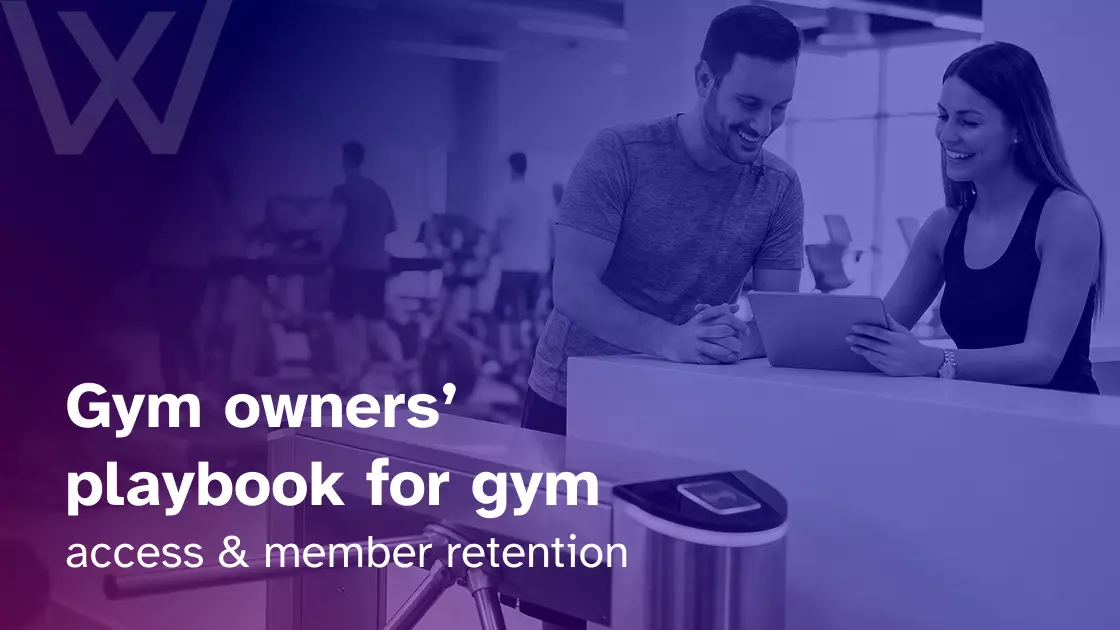
Most retention conversations in our industry start with classes, trainers, or pricing. Almost none start with the door.
That’s a major gap. I’ve spent years working alongside gym owners, boutique studios, 24/7 clubs, and multi-location chains, and the pattern is consistent: the operators with the strongest retention numbers consider their access control system as a retention tool, not a security tool. While everyone else thinks of it as nothing more than a turnstile.
And that distinction matters. According to the Health & Fitness Association’s 2025 Fitness Industry Benchmarking Report, the average annual retention rate across more than 17,000 facilities sits at 66.4%. Roughly half of new members quit within their first six months. And according to HFA, the average member visits 1.5 times per week, down from 2.1 visits pre-pandemic. The math proves that you’re not just competing for new sign-ups; you’re competing against your members’ own waning habits.
The opportunity is that access control data can become a useful retention tool when it is connected with member management and communication workflows. This means every time a member taps in, you are sitting on data that, when used well, can pull them back from the edge. Most gyms don’t use any of it. But this is the playbook I wish more owners had.
What a gym access control system actually does
A gym access control system is the combination of hardware, software, and credentials that decides who walks through your door and when.
It usually includes:
● Credentials: key fobs, RFID cards, NFC or BLE mobile passes, or biometrics.
● Readers and controllers at main entries, sometimes at internal high-security zones like changing rooms, lockers, or premium areas.
● Software connected to your gym management platform, logging every entry against a member’s profile.
The hardware side of access control has become increasingly standardized. Cloud-based controllers from Kisi, Brivo, and similar vendors do roughly the same thing at roughly the same reliability.
But the actual retention story sits in the software layer. Specifically, it depends on how deeply your access system integrates with your member management, billing, and automation tools. Most owners underestimate that part when they’re shopping.
The check-in is your most repeated touchpoint
Retention is the product of a smoother experience. It sounds soft, but it’s not. Every friction point in a member’s interaction with your gym is a small tax on their motivation. Members who quit don’t do so after one bad workout. They quit because the total weight of small frictions eventually outweighs the benefit of showing up.
Run the math on what your member actually does in a typical month:
- 3 classes a week → ~12 class touchpoints
- 1 trainer conversation → 1 touchpoint.
- 12 door taps → 12 touchpoints.
The check-in experience is one of the most repeated interactions your business has with a paying member, alongside classes. If it’s seamless, you become invisible, which is what you want. But if it’s clunky, members notice every time, and the noticing compounds.
This is the lens to keep in mind as we walk through the specifics.
First impressions carry more weight than the workout
Think from a new member’s perspective, visiting your gym solo for the first time. It is not the tour or the trial class yet. It is just their first time showing up alone with their gym bag and a vague thought about whether they actually belong here.
The first 30 seconds of that visit set the tone for the next six months:
| Moment | Smooth entry | Clunky entry |
| At the door | Phone tap opens in under 5 seconds | Card won’t read, multiple retries |
| With staff | No interaction needed | First interaction: Let me just check you in… |
| Member feeling | Like they belong | Like they don’t quite know what they’re doing |
| Effect | Reinforces the decision to join | Quietly undermines it |
Now extrapolate that across 12 visits a month for the first six months. The cumulative weight is enormous. The impact is directly on retention.
I’ve watched gym owners spend tens of thousands on new equipment and programming, but then under-spec the system that determines how every member begins every single visit. The fix is cheap and largely one-time:
- Get the hardware right.
- Set mobile credentials as the default (fobs as backup).
- Audit the entry experience yourself as if you’d never been there before.
Most owners haven’t done that audit in years, yet it carries data that goes unnoticed otherwise.
Why 24/7 access is a habit mechanism, not a perk
The harder retention problem is not the first month. It’s months two through six, when novelty wears off and the workout has to compete with everything else in a member’s life.
This is where 24/7 access earns its keep, not as a feature, but as a behavioral mechanism. When members can train at 5:30 AM before work or 11:00 PM after the kids are asleep, you’re letting them build the routine around their actual life, not your business hours. And routines are what survive.
A 2024 HFA benchmark shows the average member visits:
- Average visits per week: 1.5 (down from 2.1 pre-pandemic).
- Weekday peak 1: 5:30–8:00 AM (before work).
- Weekday peak 2: 5:00–7:30 PM (after work).
Outside those two windows, members who want to train often can’t. Those missed sessions are how habits quietly die, not from lack of motivation, but from lack of opportunity.
A well-configured access control system makes 24/7 operations practical without 24/7 staffing. The single-location operators I’ve worked with who turned on overnight access for eligible plans typically added 30–40% more usable training hours, which translates directly into higher visit frequency and better retention.
Trust and safety as a retention driver
Security is not just about keeping unauthorized people out. It’s about giving paying members the sense that this place is safe and theirs. Here, two specific signals matter:
No tailgating or shared credentials: When members see that everyone in the gym actually paid to be there, the perceived value of their membership goes up. Fairness compounds into loyalty.
Traceable presence: If an incident happens in the form of a lost item, harassment complaint or equipment damage, you can trace exactly who was on-site. Members may never use this, but they take comfort knowing it exists.
Community is fragile. A few “this person is not supposed to be here” moments will erode it faster than almost anything else, especially with female members and early-morning regulars. Access control protects the community in the background.
The inactivity data most gyms never act on
This is the section I urge gym owners to actually sit with and pay close attention to. It is where most of the retention upside lives, and almost nobody is handling it well.
Your access control system already knows when a member has stopped showing up. Every entry and every absence is sitting in a database connected to their profile. The problem is that many gyms fail to include access control data as part of their broader retention strategy.
Only the best gym management system software integrated with your gym access control can flag the behavior before the cancellation happens. But many gyms only notice the problem weeks later, when a cancellation request reaches the billing system. By then, the conversation is a win-back, not a retention strategy.
The re-engagement workflow
Here’s the workflow I recommend instead. It’s built around the idea that the window between “I haven’t been in a while, and I’m canceling” is the most recoverable moment in a member’s lifecycle, and access logs are how you find it.
Step 1: Set your inactivity thresholds
Pick three triggers based on your typical attendance patterns:
- 7-day silence for members whose usual cadence is 2+ visits per week.
- 14-day silence for once-weekly members.
- 21-day silence for low-frequency members who still consider themselves “active.”
Calibrate these to your data, not someone else’s. A 7-day gap means something very different at a CrossFit box than at a budget 24/7 gym.
Step 2: Day 7, the soft check-in
The first nudge should be light, low-friction, and personal. It should neither be a guilt trip nor a sales pitch.
Something like a push notification or short email that says:
“We noticed you haven’t been in this week. Is everything okay?”
Optionally include a one-tap link to book a class.
Most owners get this stage wrong by making it transactional. Don’t pitch a discount on day seven. The member hasn’t decided to leave yet. The goal is to remind them you’re paying attention.
Step 3: Day 14, the personalized re-engagement
If they still haven’t returned, pull from their history. Your gym management software knows what classes they used to attend, what trainer they worked with, and what time they usually trained. Use that data to personalize the communication better.
A message that says:
[First Name], Saturday 9 AM HIIT with Marcus has two spots open this week.
This message lands differently from a generic “We miss you.” Personalization at this stage can improve the chances of re-engagement because it connects with the member’s actual habits.
Step 4: Day 21, the incentive layer
Now you can introduce a small incentive. The strongest options that I’ve seen work are:
- A free guest pass so they can bring a friend back with them.
- A complimentary 30-minute trainer or coach check-in.
- An invitation to a small-group event or member-only class.
But one thing to beware of is blunt discounts. Discounts signal that your service is on sale, which is the opposite of the premium feel you want to reinforce. A free guest pass alone has been shown to boost retention by over 20% in some studies. The mechanism is not the pass itself; it’s the social commitment that comes with bringing a friend.
Step 5: Day 28+, the human-in-the-loop
If automation has not worked so far, this is where a trainer or front desk manager picks up the phone. But this time, it is not for a sales call, but a genuine “we wanted to check in” call.
This is the most expensive step and the highest-converting one. Reserve it for members whose lifetime value justifies the time. Your system should flag those members automatically based on tenure, monthly spend, and historical attendance.
| Day | Threshold | Touch | Channel | Tone | Goal |
| 7 | First flag | Soft check-in | Push / email | Light, no pitch | Show you noticed |
| 14 | Continued silence | Personalized re-engagement | SMS preferred | Specific, history-based | Re-book a session |
| 21 | Drift confirmed | Soft incentive | SMS / email | Concrete event, not discount | Bring them back via social commitment |
| 28+ | Win-back territory | Human call | Phone | Genuine, not sales | Save high-LTV members |
Tying it all together
None of this works without automation. You can’t run a manual workflow against thousands of access logs. The setup should look like this:
- The access control system logs every entry.
- Gym management software calculates inactivity windows.
- Automation platform (built-in or integrated) triggers the right message at the right threshold.
- Booking links route members back into your scheduling system.
- High-value flags route to staff for human outreach.
The reason this works is not the technology. It’s that the member feels seen at the exact moment they’re starting to drift. That’s a retention move you can’t replicate with classes or pricing.
The behavioral psychology underneath this
Owners sometimes ask why any of this actually works. The simplest reason is we are not really managing access. We are using access data to take advantage of four well-documented patterns in human behavior:
| Bias | What it is | How access control taps it |
| Loss aversion | Pain of losing is ~2× the pleasure of gaining (Kahneman & Tversky) | Day-7 message frames absence as identity loss, not a sales pitch |
| Habit loop | Cue → routine → reward (Duhigg, The Power of Habit) | 24/7 access keeps the cue–routine chain intact when life gets messy |
| Autonomy | People stick with behaviors they’ve chosen freely (according to self-determination theory) | Mobile credentials and flexible hours reinforce a sense of control |
| Fresh-start effect | Restart motivation peaks on temporal milestones (Milkman, Wharton) | Sunday evening re-engagement message for a Monday morning workout |
Once you can see these four running underneath the workflow, the workflow itself stops looking like marketing and starts looking like applied behavioral science.
“I find real reward in setting up automations so we have less on our plate manually to do as being a business owner can be very overwhelming. One of the features I really loved is the door access. If people are not members of our gym and they’re just coming for classes, they can only get in during class time. They don’t have free rein. Similarly, if there are members with due payment, or ones with missed classes, the system flags it before we have to do it ourselves.” Danielle, Grit to Greatness Performance Center
What to evaluate, and in what order
Most reviews of access control systems lead with hardware. That gets the priority backward. The hardware is mostly commoditized; software depth is what separates a turnstile from a retention engine.
For retention specifically, only three capabilities really matter:
Custom inactivity thresholds, not just cancellation alerts. Most systems will only tell you about a member after they have already left. What you actually need is a flag when their pattern starts drifting.
Entry logs flowing into member profiles. If the door data does not reach the same CRM record you use to send messages, the workflow above does not work.
A credential mix your members will actually use. Members who fight the door every visit start visiting less. Mobile as default with a physical fallback is usually right.
For general evaluation criteria that apply to any gym access system (security, integration depth, reliability, scalability, cost, support), see buyer’s guide to gym access control.
Retention starts at the door
Gym Rescue and others consistently put the cost of replacing a member at several times the cost of keeping one. The acquisition treadmill most gyms run on is, mathematically, the wrong place to spend the marginal dollar.
So we need to get better at the cheap retention moves. Access control is one of the cheapest:
- The hardware is already installed.
- The data is already being captured.
- What’s missing is the workflow on top of it.
The door is the first thing a member touches every time they walk in. Get it right, and the access experience becomes one more part of a stronger retention strategy.
Frequently Asked Questions
How does a gym access control system help with member retention?
A gym access control system helps retention by making every visit easier, safer, and more trackable. The door is one of the most repeated member touchpoints, so a smooth check-in quietly supports the habit of showing up. The bigger win is the data. If a regular member suddenly stops visiting, your system can flag that behavior before they cancel.
Can access control data show which members are at risk of canceling?
Yes. Access logs can show when a member’s visit pattern changes. If someone usually trains three times a week and then disappears for 7, 14, or 21 days, that is not just missing data. It is a retention signal. The mistake many gyms make is waiting until the cancellation request arrives. By then, the conversation has already changed.
Is 24/7 gym access good for retention?
Yes, when it is managed properly. 24/7 access gives members more chances to fit training around real life, especially early mornings, late evenings, shift work, or family schedules. That level of flexibility helps routines survive. But it only works if the system also controls who can enter, when they can enter, and whether their membership is active.
What is better for gyms: key fobs, cards, or mobile access?
Mobile access is usually the better default because members already carry their phones. Key fobs and cards still work well as backups, especially for members who prefer something physical. The real question is not just the credentials. It is whether the system connects to your member profiles, billing status, booking rules, and access permissions.
Can a gym access control system stop unpaid members from entering?
Yes, if it is connected to your gym management and billing software. A good setup can automatically block access when a membership expires, a payment fails, or a class-only member tries to enter outside their allowed time. That protects revenue without forcing staff to have awkward door conversations every morning.
How should gyms use access control data to re-engage inactive members?
Start simple. Set inactivity triggers based on normal attendance: 7 days for frequent members, 14 days for weekly members, and 21 days for lower-frequency members. Then send a soft check-in first, a more personal class or training invite second, and only later add a small incentive. The point is not to blast “we miss you” emails. It is to notice the drift while the member still feels connected.