



A member turns up at 5:42 a.m. The front desk is dark. The cleaner is still in the back room. The member taps their phone, the system verifies their membership status, and the door unlocks. Entry is logged before the member reaches the training zone.
This happens so fast, yet these small moments tell you a lot about the access system behind the door. In a gym, access control is not only about opening a lock. It has to know whether the member has paid, whether their plan is active, whether they can enter that location, whether they booked the room, and what should happen if the internet drops. Some operators try to solve this with biometric access control for gyms; others with fobs or mobile credentials, but the lock itself is the smallest part of the decision.
That is why more operators are looking at IP-based gym access control systems. The U.S. fitness market is busier and more layered than it used to be. The Health & Fitness Association reported that 77 million Americans belonged to a gym, studio, or fitness facility in 2024, while nearly 96 million people used fitness facilities when non-member customers were included. HFA based these figures on a nationally representative sample of 18,000 U.S. residents ages 6 and older. More people mean more visits, more access rules, and more ways for a weak door setup to create quiet problems.
What is an IP-based gym access control system?
IP-based access control lets your gym manage entry from one connected system instead of treating every door like a separate island. An IP-based gym access control system connects readers, controllers, locks, credentials, and software through a network. That network may use Ethernet, Wi-Fi, PoE, or a mix of all three.
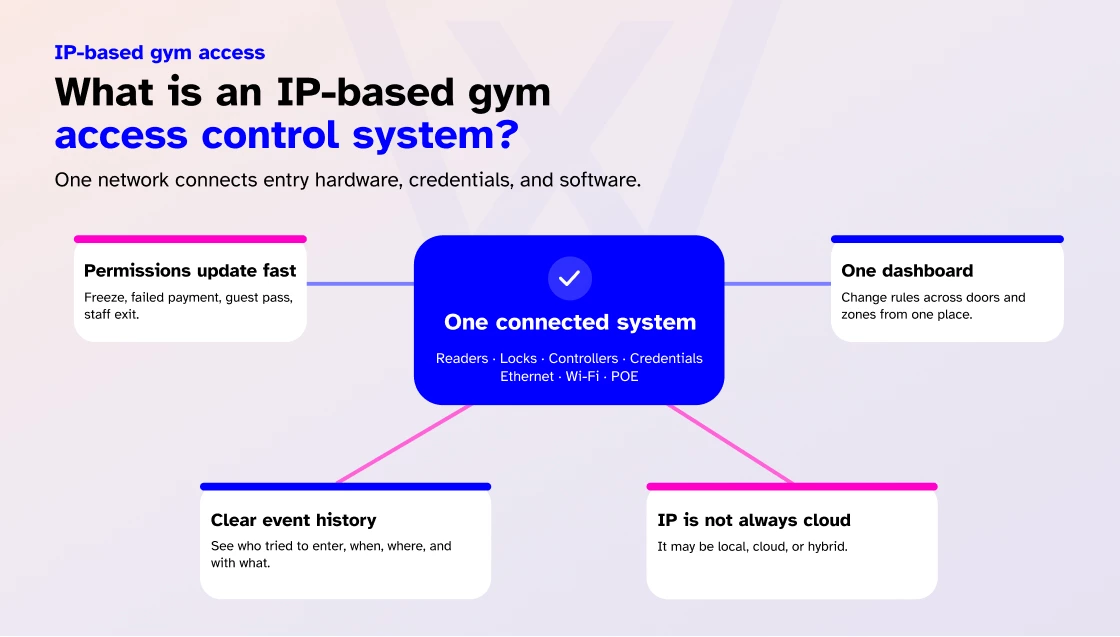
For a gym owner, that matters because entry rules change all the time when:
- A membership is frozen.
- A payment fails.
- A guest pass expires.
- A trainer leaves.
- A recovery room booking is canceled.
- A day-pass user should enter once, not all week.
A strong IP-based setup can update those permissions from one dashboard. It can also record what happened, when it happened, and which credential was used.
One point that is significant to understand here is that IP-based does not always mean cloud-based. It means the access devices communicate over a network. The system can be hosted on-site, embedded locally, in the cloud, or in a hybrid setup. That difference matters when you compare vendors.
How does IP-based gym access control work?
The entry-decision mechanics, credential presented, rules checked, door opens or stays, event logged, are covered in 19 key features of modern gym access control systems.
What is specific to IP-based architecture is WHERE those decisions happen locally at the controller versus in the cloud and how they behave when the network drops. That is the focus of the sections below.
IP-based vs traditional gym access control
Traditional access systems can still work, especially in simple sites. The problem starts when your gym grows, adds internal rooms, sells premium access, or moves toward 24/7 operation.
Here is a clean comparison:
| Area | Traditional setup | IP-based setup | Significance for gyms |
| Permission updates | Often slower or more manual | Updated from a connected dashboard | Failed payments, freezes, and upgrades can affect access faster |
| Multi-location control | Harder to keep consistent | Easier to manage centrally | Useful for franchises, chains, and owners with more than one site |
| Mobile access | Often limited | Usually easier to support | Members already use phones for booking, payment, and communication |
| Logs and reporting | Can be fragmented | Centralized access logs | Helps with denied entries, peak times, and incident reviews |
| Scaling | More wiring and configuration pressure | Easier to add doors and zones when planned well | Better for premium rooms, studios, and expansion |
| IT workload | More local maintenance in many setups | Lower local burden in cloud setups | Small teams can manage access without constant site visits |
Most of these conditions already live in the gym mobile app members use to book and pay, so tying access to that same layer removes a lot of manual work.
The point is not that every traditional system is bad. It is that gym operations are becoming more conditional. Access now depends on plans, rooms, payments, bookings, staff roles, and hours. The more conditions you have, the more a connected system matters.
Why are gyms moving toward IP-based access?
I have seen gym owners tolerate awkward access setups for too long because the door technically “works.”
But a door can open and still cost you money.
Rising participation is one reason this matters. HFA’s 2024 membership figures show how much traffic gyms now handle. Access-control demand is rising outside fitness too. Precedence Research estimated the U.S. access control market at $2.93 billion in 2025, with growth projected through 2035.
Those stats line up with what gym owners already feel on the floor.
Members want faster entry. Staff want fewer manual fixes. Owners want tighter control without adding another person to watch the door.
Here is where IP-based access helps most:
- It supports remote management
You do not want to drive to the gym just to revoke a staff credential or unlock a door for a contractor. With the right setup, you can update permissions, check logs, and respond to alerts from a dashboard.
- It handles layered gym access rules
A basic member can use the main floor. A premium member can enter the recovery room. A PT client can enter the coaching zone during a booked window. A cleaner can use the back door from 9 p.m. to 11 p.m. Those are normal gym rules. They should not need manual work every day.
- It reduces silent revenue leakage
Access leakage is rarely dramatic. It usually looks like shared fobs, stale staff accounts, frozen members still getting in, class-only users entering open gym, or premium rooms being used by the wrong plan tier. A connected system makes those leaks easier to spot and harder to repeat.
- It improves 24/7 access control
A 24/7 gym is only as strong as its worst access rule. If the system cannot make the right decision at 4 a.m., the extra hours become risky. The access layer is only one piece of how to run a 24/7 gym safely; offline behavior, alert routing, and emergency egress all have to hold up when no staff are on site.
That is why offline behavior, local cached permissions, alert routing, camera coverage, and emergency egress all need to be part of the buying conversation.
Hosting options for IP-based access control
This is where many gym owners get lost, so I keep it simple:
| Hosting option | Best fit | Strength | Watch-out |
| On-site server | Larger facilities with IT support and strict local control needs | Data and control stay on-site | Requires server space, maintenance, backups, and IT skills |
| Embedded local system | Small single-site gyms with simple needs | Lower complexity and lower cost | Usually weaker for multi-site reporting and remote control |
| Cloud-based access control | 24/7 gyms, growing studios, and multi-location operators | Easier remote control, updates, mobile access, and central management | Needs solid internet planning and clear offline rules |
| Hybrid setup | Gyms that want cloud management with local decision support | Good balance of remote control and resilience | Vendor design matters a lot |
For most modern gyms, cloud-based or hybrid access control systems are usually the better long-term fit. Not because cloud sounds modern, but because gym rules change constantly. You need access to follow those rules without your team chasing every exception by hand.
Hardware needed for IP-based gym access control
This section covers network-layer hardware only, the components that make an access system IP-based rather than standalone.
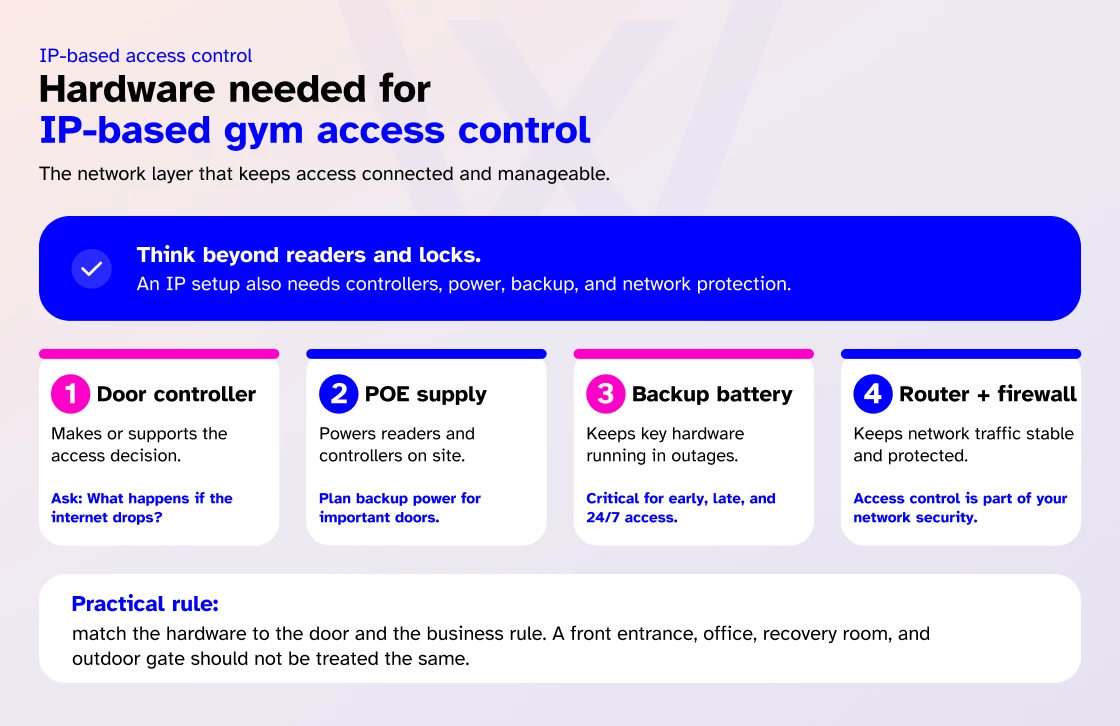
For credential and lock hardware readers, strikes, exit devices, turnstiles, see access control installation guide. For hardware cost figures per component, see gym access control cost guide.
A typical gym setup may include:
| Hardware | What it does | Gym owner note |
| Door controller | Makes or supports the access decision | Ask what happens if internet connectivity fails |
| PoE switch or power supply | Powers readers and controllers | Plan backup power for important doors |
| Backup battery | Keeps selected hardware running during a power interruption | Critical for early, late, and 24/7 access |
| Router and firewall | Keeps network traffic stable and protected | Access control is now part of your network security |
One practical rule: match the hardware to the door and the business rule. A glass front entrance, a staff-only office, a recovery room, and an outdoor gate should not be treated as the same project.
Implementation checklist before installation
This is the section I wish more owners had before they signed a quote.
Check membership, billing, and booking sync
This is where many access projects fail. The door should know what the software knows. If the member is frozen in your gym management software, the access system should not act as if nothing changed.
Confirm network coverage
Check Wi-Fi coverage, Ethernet and PoE availability, router placement, firewall rules, and any weak-signal areas. A poor network can make a good access system feel broken.
Plan for power failure and internet loss
Ask exactly what still works when the internet drops. Are permissions cached locally? Which doors keep working? How long does backup power last? Who gets notified?
Confirm emergency egress and local code
Fire safety, emergency exit, ADA considerations, and local building rules should be checked with qualified professionals. A door can be secure and still be wrong if people cannot exit safely.
Test worst-case scenarios
Do not only test valid access. Test a frozen member, expired guest pass, wrong plan tier, shared PIN, forced door, held-open door, and offline event.
Common mistakes gym owners make
Based on more than 15 years of industry experience, I have seen gym owners make these mistakes.
Buying hardware before the workflow
This is the classic one. Owners choose a reader or lock, then discover the software cannot handle bookings, billing changes, or premium-room rules properly.
Ignoring internal doors
The front door gets all the attention, but the money is often inside. Recovery rooms, class studios, women-only areas, simulator bays, and PT zones need access logic if you want to protect their value.
Trusting cloud systems without asking about offline access
Cloud management is useful, but your gym still needs a bad-day plan. Ask what happens at 5 a.m. when the connection drops and a paying member is at the door.
Using shared PINs for too long
PINs are useful for temporary access, cleaners, contractors, or fallback use. As a primary member credential, shared codes quickly become difficult to control and easy to misuse.
Forgetting stale permissions
Credentials and accounts belonging to former staff, past contractors, expired trials, and test users should not remain active. Set a monthly review. It is not exciting, but it prevents avoidable access risk.
Treating biometrics as a shortcut
Biometrics can help with credential sharing, but they also bring privacy, consent, storage, retention, and deletion questions. Use them only where there is a clear operational need. Do not add them just because they sound advanced.
How to choose the right IP-based access system?
Start with your real gym, not the sales demo.
Ask yourself:
- Are you staffed, unstaffed, or moving toward 24/7?
- Do you sell premium spaces or internal rooms?
- Do bookings need to unlock doors?
- Do failed payments need to block access?
- Do you operate more than one location?
- Do members expect mobile access?
- Do you need fobs as a fallback?
- Who handles alerts after hours?
- What happens when the internet fails?
Then ask the vendor sharper questions:
- Can access be updated when membership status changes?
- Can a booking unlock one room for one time window?
- Can guests receive temporary mobile or QR access?
- Can access logs feed into reporting?
- Can staff access be revoked instantly?
- Can the system support more doors later without rebuilding the setup?
- What hardware, labor, software, and support costs are not included in the first quote?
That last question matters.
Additional access control costs often come from wiring, door-frame work, backup power, mounting brackets, credential replacement, support, software licensing, and integration work.
Final words
The best gym access system is not the one with the longest feature list. It is the one that follows the rules of your business without making your team fix the same problems every week.
If a member pays, access should work. If payment fails, access should respond. If a booking opens a room, the door should know. If a staff member leaves, their access should end. If a premium space carries extra value, the system should protect it.
That is the real promise of IP-based gym access control. Not just a smarter lock. A cleaner way to run the building.
IP-based gym access control FAQs
Is IP-based access control the same as cloud access control?
No. IP-based means the access devices communicate over a network. Cloud access means the management software is hosted in the cloud. A system can be IP-based and still be on-premise, embedded, cloud-based, or hybrid.
What hardware do I need for IP-based gym access control?
Most gyms need readers, controllers, locks or strikes, door sensors, request-to-exit devices, power supplies or PoE switches, backup power, and network equipment. Some gyms also need turnstiles, cameras, intercoms, or biometric readers.
Can IP-based access control work if the internet goes down?
It depends on the system. Good setups may support local cached permissions, controller-level decisions, or hybrid behavior. Ask the vendor exactly which doors and credentials keep working offline.
Is mobile access better than key fobs?
For many gyms, yes. Mobile access reduces plastic credential costs and fits how members already book, pay, and manage their accounts. Fobs still work well as a fallback or for members who prefer a simple physical credential.
Is IP-based access control good for multi-location gyms?
Yes, if the system is built for centralized management. Multi-site gyms need one place to manage users, roles, locations, alerts, access logs, and permission changes.