



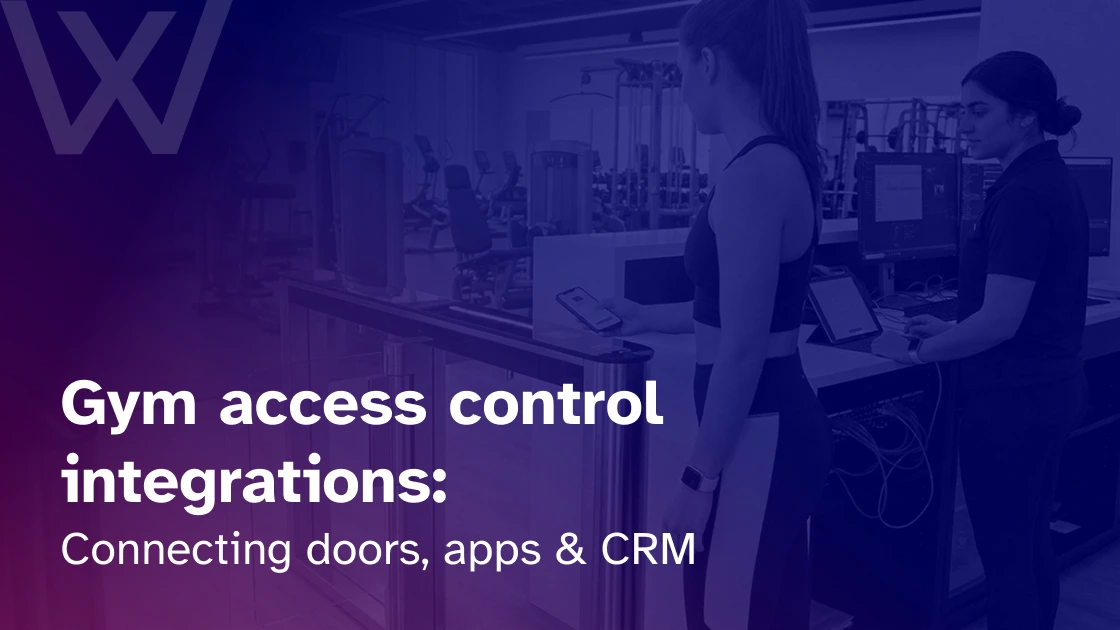
A few days ago, I watched this touchless access control demo on YouTube. A person used a smartphone to unlock a door, pass through controlled entry, and move through a building without the usual key, card, or front-desk pause.
It looked simple.
That was exactly what stayed with me. For the user, it was just one smooth moment. For the business, there was a lot happening behind the scenes.
The lock was not the clever part. The real work sat quietly behind it. The CRM knew the person. Billing confirmed the payment. The app carried the credential. The reader checked permission. The visit was logged.
That is the heart of gym access control integrations.
I’ve seen gyms compare locks, fobs, gates, and readers while the real problem sits elsewhere. One system handles memberships. Another handles billing. A third controls the door. Staff fills the gaps with spreadsheets and late-night fixes.
What do gym access control integrations really mean?
Gym access control system integration means your door system is connected to the software that runs your gym. It does not just open a door. It checks live member data, billing status, bookings, plan rules, staff roles, and access permissions.
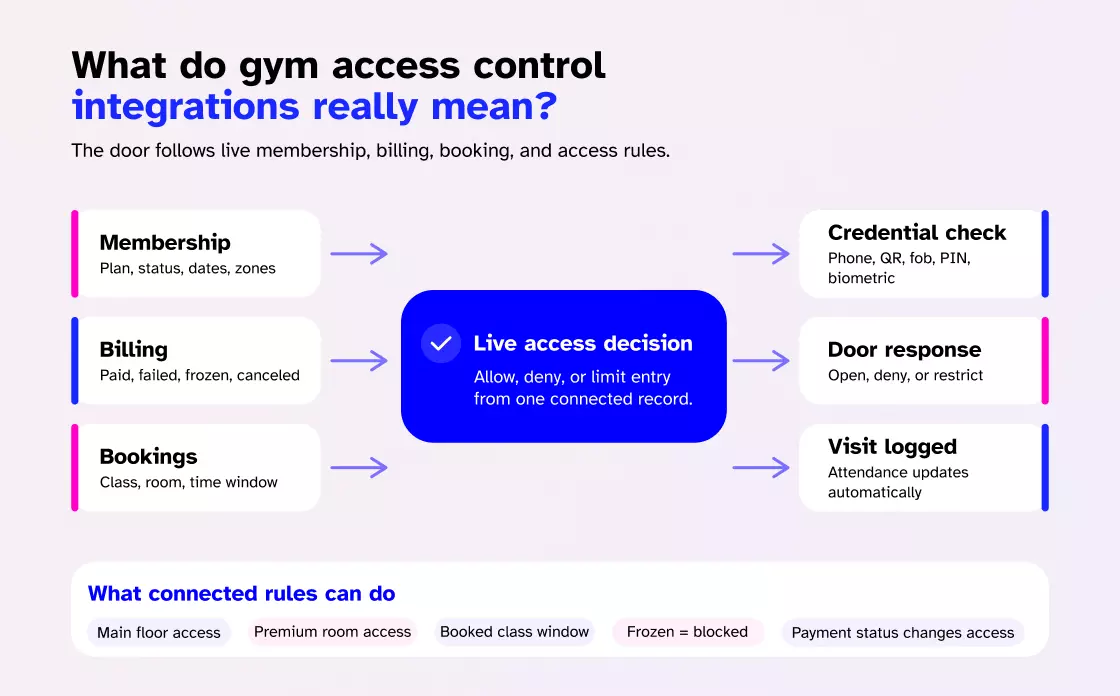
A normal workflow looks like this:
- A member signs up
- The CRM creates the profile
- Billing confirms payment
- The access system receives permission
- The member uses a phone, QR code, key fob, card, PIN, or biometric scan
- The door opens or denies entry
- The visit is logged
- The CRM updates attendance history
It changes how a gym operates. A basic member can enter the main floor. A premium member can enter the recovery room. A class-only member can enter during a booked window. A frozen member can be blocked without staff needing to remember to update access manually.
For owners comparing systems, a connected gym access control system is worth studying because access permissions should follow memberships, bookings, and check-ins.
The access control market is moving in this direction too. Grand View Research valued the global access control market at $10.8 billion in 2024, projecting $17.30 billion by 2030. Growth is not just about stronger locks. It is about connected identity, cloud access control, and smarter permission systems.
The four parts of a connected gym access system
A connected access setup has four moving parts: CRM, hardware, credentials, and a cloud/API layer that moves data between them.
What makes them work as an integration is the FLOW between them. The sections below cover the specific event patterns that move data from one layer to another.
How does door hardware connect to gym software?
Hardware decisions are made during install, not integration. For credentials and locks (readers, magnetic locks, electric strikes, turnstiles), see the gym access control installation guide.
Mobile access and member app experience
Mobile access ties into the app your members already use for booking and payments.
Kiosk check-in working with access control
Access control and check-in are related, but they are not the same.
Access control decides whether someone can enter. Check-in records that they arrived. The strongest setup does both together.
A kiosk can sit at reception, at the main entrance, outside a studio, or beside an internal access point. Members scan a QR code, tap a fob, use the app, or verify another credential. Once confirmed, the system logs attendance.
This helps lightly staffed gyms, class-based studios, and facilities with busy front desks. Members get self-service, while owners keep attendance visibility.
If your gym uses self-service entry, it is worth understanding what kiosk check-in is and how gyms use mobile apps to power it. Kiosks work best when they connect to the same member data that controls the door.
CRM and billing synchronization
This is where access starts protecting revenue.
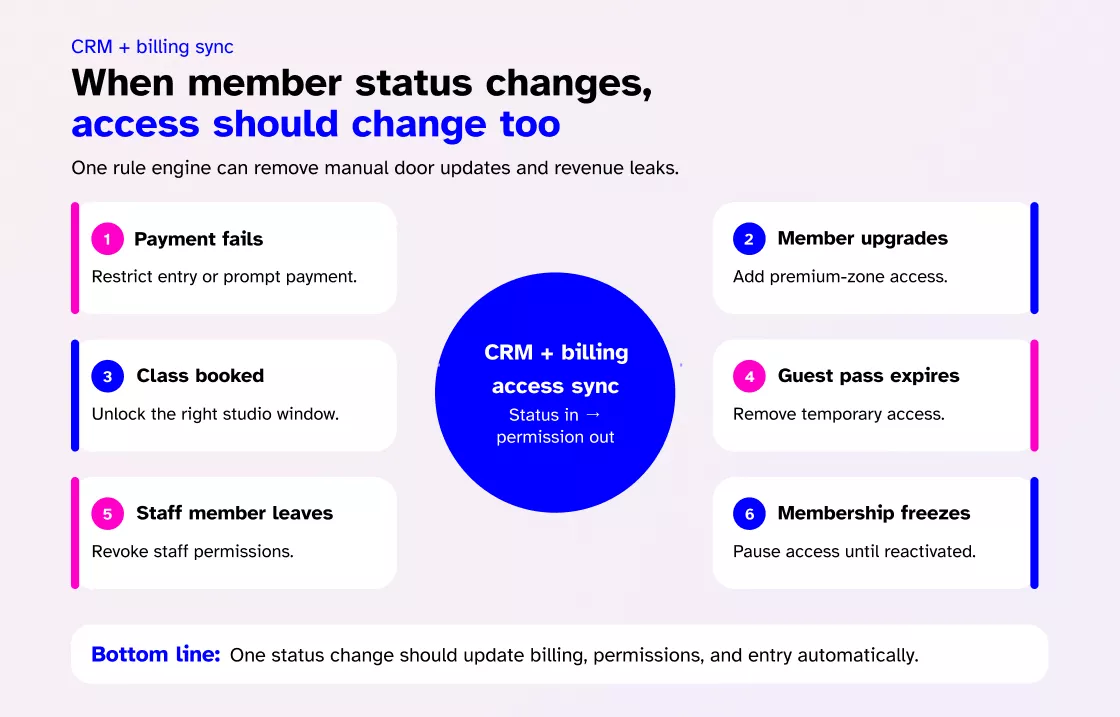
If a member’s payment fails, access should follow your rule. Maybe the system blocks entry right away. Maybe it gives a grace period and sends a payment prompt. If payment is recovered, access should return automatically.
The same logic applies to upgrades, freezes, cancellations, guest passes, staff roles, and premium rooms.
| Member event | What access should do |
| Payment fails | Restrict entry or trigger payment prompt |
| Member upgrades | Add premium zone access |
| Class booking confirmed | Unlock the right studio during the valid window |
| Guest pass expires | Remove temporary access |
| Staff member leaves | Revoke staff permissions |
| Membership freezes | Pause access until reactivated |
I’ve seen teams lose hours to tiny access fixes. One person updates billing, another updates the door system, and a third handles the member outside. Integration removes that handoff.
It also protects quiet money leaks. A canceled member should not keep using the gym. A basic plan should not open a premium recovery room. A guest pass should not work next week.
Biometric access control
Biometric readers can plug into the same integration layer as other credentials. For legal, technical, and privacy detail, see biometric access control guide.
Three ways to connect gym systems
Choosing the right integration method depends on your gym’s size, technical needs, and future growth plans. Each option offers different levels of flexibility, reliability, maintenance, and long-term scalability for your business.
Native integration
This is the cleanest route. Your gym membership software and gym door access control software already work together. Setup is faster, support is clearer, and fewer custom fixes are needed.
Use this when you want reliability without a technical build.
APIs and webhooks
APIs exchange data. Webhooks send updates when payment fails, bookings change, plans upgrade, passes expire, or staff leave.
Use this for multi-location clubs, franchises, custom-branded apps, or more complex workflows.
Middleware
Tools like Zapier or Make can connect simple workflows. I would be careful using them for live door decisions. A delay that is harmless for an email can be serious at a locked entrance.
My rule: native first, APIs second, middleware only for non-critical gym automation.
Security, offline access, and fallback planning
What happens when the internet drops at 5 a.m. and the first member arrives?
Ask that before you buy.
A good setup needs a fallback plan for internet outages, power failure, app issues, forced doors, shared credentials, lost fobs, former staff access, and tailgating. Some cloud access control systems cache permissions locally, but ask exactly what works offline.
Test these before launch:
- Valid member entry
- Denied member entry
- Expired membership access
- Guest-pass expiry
- Lost credential removal
- Door-held-open alerts
- Forced-entry alerts
- Staff override
- Emergency release
- Internet outage behavior
Emergency release should be reviewed with qualified installers and local code professionals.
Data and reporting
Every access event tells you something.
You can see peak times, off-peak demand, class attendance, failed access attempts, guest use, premium-zone traffic, staff entries, and visit frequency.
That matters for retention. If a member stops visiting, the CRM can trigger a follow-up. If late-night visits grow, you can adjust staffing. If the recovery room is underused, you can rethink pricing or promotion.
Access data only helps if it returns to the CRM or reporting dashboard.
Best-practice buying checklist
Before choosing access control software, ask:
- Does access update when the payment status changes?
- Can new members enter after online signup?
- Can guest passes expire automatically?
- Can bookings unlock specific rooms?
- Can premium areas have separate rules?
- Does it support fobs, cards, QR, mobile, NFC, and biometrics?
- What happens if the internet fails?
- Are access logs visible in the CRM?
- Does it support APIs and webhooks?
- Can staff access be time-limited?
- How are lost credentials revoked?
- What are the costs per door, reader, or location?
- Can it scale to another site?
- Who helps if the door fails outside staffed hours?
The best system fits how your gym actually runs.
Where Wellyx fits
If your goal is fewer disconnected tools, Wellyx belongs in the conversation because access works best when memberships, billing, bookings, attendance, communication, and gym member management are connected.
A gym should not need one system for payments, another for CRM, another for check-ins, and another for doors. That creates gaps that staff have to close manually.
With the Wellyx access control system, the door follows the same member rules your business already uses. That is the difference between access control and an operating system that understands access.
FAQs
What are gym access control integrations?
They connect your door system with CRM, billing, memberships, apps, bookings, attendance, and access logs so entry permissions match real member status.
Can access update when payment fails?
Yes, if billing and access are connected. The system can restrict entry, send a payment prompt, and restore access after payment recovery.
Is mobile access better than key fobs?
Often, yes. Mobile access is useful for guest passes, app-led check-ins, and instant updates. Fobs still work well as a simple backup.
Can kiosk check-in replace the front desk?
It can reduce front-desk pressure, but it should still operate within clear staffing, safety, and support procedures.
Are biometrics worth it?
Sometimes. Biometrics can reduce credential sharing and strengthen member authentication, but they add cost, privacy duties, and user-comfort questions.
What should I test before going live?
Test valid entry, denied entry, failed payments, guest expiry, offline behavior, staff override, alerts, and emergency release.
Final thoughts
Gym access control integrations are not just about security. They are about making the whole business agree with itself.
When CRM, billing, apps, kiosks, credentials, and door hardware work together, members move easily. Staff fix fewer mistakes. Premium areas stay protected. Guest passes expire on time. Failed payments do not turn into public arguments.
That is the quiet win.
The best access control system is the one members barely notice. They arrive, enter, train, and leave with confidence. Behind the scenes, the system keeps the rules clean.
A door is still a door. When it connects to the right software, it becomes part of the member experience, the revenue model, and the daily rhythm of the gym.