



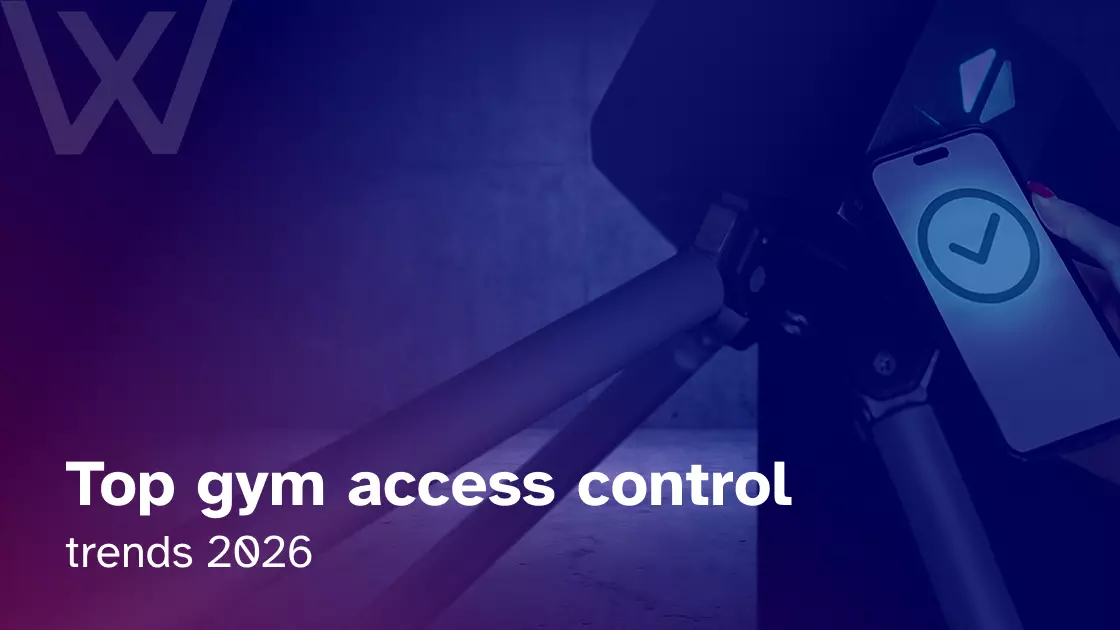
HID’s 2025 State of Security and Identity report found that 61% of security leaders now see mobile credentials as a top access control trend.
That number caught my attention because gyms have always been a little ahead of the “real life happens outside office hours” curve. Members do not only arrive between 9 and 5. They show up at 5:12 a.m., after work, during lunch, after a failed payment, during a trial week, and sometimes with a family they definitely did not pay for.
A member arrives early. No receptionist. No awkward phone calls. Their membership renewed overnight. Their class booking is active. Their phone opens the door. The camera logs the entry. The system knows they can use the gym floor, but not the recovery suite.
A connected access setup works best when it sits inside your wider all-in-one gym software instead of behaving like a separate tool your staff have to babysit.
What are the biggest gym access control trends in 2026?
The biggest gym access control trends in 2026 are mobile-first entry, billing-based permissions, cloud access control, 24/7 unmanned access, biometric verification, dynamic QR codes, AI-assisted monitoring, zone-based access, and hybrid systems that still support RFID fobs.
The trends worth watching are:
- Mobile app entry
- Billing and membership sync
- Cloud-based door management
- RFID and mobile hybrid systems
- Dynamic QR check-ins
- Biometric verification
- AI-supported video alerts
- Premium zone access
- Offline fallback for 24/7 gyms
The point is not to chase every new reader or scanner. The point is to make the gym safer, easier to run, and harder to misuse.
Why gym access control is changing so quickly
The Health and Fitness Association reported that 81 million Americans belonged to a gym, studio, or fitness facility in 2025. When day passes, and guest visits are included, more than 100 million people use a fitness facility that year.
That means more entries, more exceptions, and more pressure on the front door.
We are seeing gyms deal with:
- Flexible memberships
- More trials and guest passes
- More 24/7 access models
- Higher staffing costs
- Premium recovery rooms and saunas
- Members who expect everything to work through an app
Access control now decides who gets in, when they get in, what they can use, and whether access changes when a payment fails.
The worst access problem is not always a break-in. Sometimes, it is a canceled member still walking in for three weeks because nobody manually updated the door list.
1. Mobile access is becoming the new gym key
Members already live on their phones. They book classes, pay dues, check schedules, and message the gym from the same device. So, it feels natural that entry is moving there too. HID’s 2024 state of physical access control report also found that mobile access and touchless/contactless solutions were among the largest trends shaping the wider access control industry.
Mobile access control for gyms can include:
- App-based door entry
- Bluetooth credentials
- NFC access
- Dynamic mobile passes
- Smartwatch access
- Remote permission updates
I like mobile access because it solves one of the oldest gym problems: the credential chase. A member cancels. Their app access turns off. No fob cancellation. No awkward front-desk note. No staff member is trying to remember who still has a card.
It is not perfect. Phones die. Apps glitch. Bluetooth can be moody. But as the default member experience, mobile is clearly winning.
For a deeper look at this shift, read Wellyx’s guide on mobile access and app integration for gym management software.
2. Membership and billing integration is becoming non-negotiable
This is the trend I think gym owners should care about most.
A door reader is only useful if it knows who should be allowed in today. Not last month. Not when the fob was first issued. Today.
A connected access setup should handle:
- Failed payment = access paused
- Payment recovered = access restored
- Frozen membership = access temporarily blocked
- Canceled membership = access removed
- Trial pass = limited entry window
- Premium add-on = specific zone access
When access and billing are disconnected, the staff becomes the access control system. That is where mistakes creep in.
I have seen this kind of thing happen in fitness businesses: a member cancels, the payment system knows, the front desk knows, but the door still opens. That small gap quietly leaks revenue and trust.
In 2026, access should follow membership status automatically.
3. Cloud-based access control is becoming the control room
HID’s 2025 report also found that many security leaders are prioritizing software-driven, unified security systems. Genetec’s physical security trends for 2026 also point toward hybrid-cloud deployments, access control modernization, intelligent automation, and data-driven decision-making.
Cloud access control helps you manage the building without living at the reception.
It can support:
- Remote door management
- Multi-location permissions
- Real-time access logs
- Staff-level access rules
- Centralized reporting
- Faster permission changes
A good cloud setup lets you remove a canceled member, update a trainer’s access, or review an overnight entry log without driving across town.
Cloud is not useful because it sounds modern. It is useful because real gym operations are messy. People forget things. Staff change. Members freeze memberships. Doors still need to behave correctly.
24/7 gyms need access systems that work when things go wrong
The best access system is not the one that works perfectly on demo day. It is the one that keeps working at 5:30 a.m. when Wi-Fi drops, a phone battery dies, or someone tries to slide in behind a friend.
A proper 24/7 gym access control setup should include:
- Mobile or RFID entry
- Offline fallback
- Camera support
- Entry logs
- Emergency procedures
- Staff alerts
- Backup credentials
- Clear member rules
This is where owners need to think beyond the door opening. What happens if the internet goes down? What happens if the member is alone and needs help? What happens if the lock fails after staffed hours?
Owners planning unmanned hours should also review this guide on how to run a 24/7 gym before choosing access hardware.
- Key fobs are not disappearing; they are becoming the backup plan
Mobile access is growing, but fobs are not dead. In fact, I would be careful with any system that pretends every member will happily use an app forever. Avigilon access control technology overview still lists credentials such as key cards, key fobs, and mobile devices as part of modern physical security technology.
Gyms still need backup options for:
- Dead phone batteries
- Members who dislike apps
- Staff access
- Contractors
- Cleaners
- Bluetooth issues
- Emergency fallback
For many gyms, the strongest setup is mobile-first with RFID or fobs behind it.
That may not sound as exciting as facial recognition or AI, but it works. And in gym operations, “it works” is not a boring phrase. It is the difference between a normal morning and six angry messages before breakfast.
For smaller gyms watching costs, a gym key fob system without blowing the budget can still be a smart part of a modern access setup.
- Dynamic QR codes and kiosk check-in are making entry more self-service
Touchless access and mobile check-ins are not just hygiene leftovers from the pandemic. They are now part of how members expect to move through a gym. 2026 access control trends highlight cloud readiness, mobile credentials, system integration, and automated security operations as key access control shifts.
Dynamic QR codes and kiosks can support:
- Guest passes
- Trial visits
- Waivers
- Class confirmations
- Time-based access
- Busy front-desk periods
- Self-service check-in
There is an important difference here.
A check-in system records that someone arrived. Access control decides whether a door, gate, room, or premium zone should open.
During a packed evening class rush, that distinction matters. A kiosk or app can confirm attendance while the access system keeps people moving without turning the front desk into a traffic jam.
This is where kiosk check-in for gyms becomes useful, especially when mobile apps help power the check-in flow.
- Biometric access is growing, but privacy matters
HID’s 2025 report found that about 35% of respondents currently use biometric technology, with another 13% planning to adopt it.
For gyms, biometric access can be useful because it reduces credential sharing. A member can hand a fob to a friend. They cannot hand over their face or fingerprint.
Biometrics can help with:
- Faster entry
- Reduced membership sharing
- Better audit trails
- Premium area protection
- Staff-only access
- Higher-security zones
But I would not treat biometrics like a casual upgrade.
Members may have privacy concerns. Some may not want to use face or fingerprint access. Gyms need clear consent, simple explanations, deletion policies, and a non-biometric alternative.
A biometric system that feels convenient to the owner can feel intrusive to a member if it is rolled out badly.
Before choosing this route, gym owners should understand the privacy and operational side of biometric access control for gyms.
- AI-powered monitoring is helping gyms spot problems faster
The Security Industry Association’s 2026 Megatrends report names AI as a major force in the security industry. For gyms, the useful part is not sci-fi automation. It is faster spotting of things that staff would otherwise miss.
AI-supported monitoring can help flag:
- Tailgating
- Repeated failed access attempts
- Odd overnight entry patterns
- One credential being used too often
- Door-held-open events
- Video clips tied to access logs
AI will not run your gym. It will not replace policies, cameras, staff training, or common sense.
But if one mobile credential opens the door and two people walk in, video-supported alerts can help your team review the moment instead of guessing later.
That is where AI earns its keep: not in hype, but in faster, cleaner follow-up.
- Zone-based access is protecting premium revenue
Gyms are no longer just rows of treadmills and dumbbells. Many now include recovery, wellness, private training, and premium spaces. Those spaces only work as paid products if access is enforceable.
Zone-based access can protect:
- Recovery rooms
- Saunas
- Cold plunge areas
- PT studios
- VIP training zones
- Staff rooms
- Women-only spaces
- Bookable studios
This is where access control starts to feel less like security and more like revenue protection.
A basic member can enter the main gym. A premium member can unlock the recovery suite. A trainer can access the PT studio. A cleaner can enter only during approved hours.
That is a smarter business system, not just a smarter lock.
- Small gyms are choosing practical access control instead of expensive technology
Not every gym needs facial recognition, turnstiles, or advanced AI. A small PT studio or boutique gym may just need one reliable door, clean logs, mobile access, and automatic billing sync. In another Reddit discussion about gym door access, the practical concern was not luxury hardware; it was finding a workable single-door member access setup.
A practical setup may include:
- One smart lock
- RFID backup
- Mobile credentials
- Clean entry logs
- Basic camera coverage
- Billing sync
- Responsive support
This is where I think owners need to be honest about their actual risk level.
A 200-member studio does not need to buy like a national chain. It needs a system it can afford, manage, and trust.
The right system is not the most advanced one. It is the one your team can actually run on a tired Monday morning.
What does modern gym access control cost?
Access control costs vary because every building is different. A single-door studio has a very different setup from a 24/7 gym with turnstiles, cameras, locker-room zones, and staff-only areas.
| System type | Cost level | Best fit |
| Keypad access | Low | Small studios, staff doors |
| RFID/fob system | Low to mid | Small gyms, backup credentials |
| Mobile access | Mid | App-first member experience |
| Cloud access platform | Mid to high | 24/7 and multi-location gyms |
| Biometrics | Higher | Premium or high-security areas |
Cost usually depends on:
- Number of doors
- Locks and readers
- Electrical work
- Locksmith installation
- Software fees
- Integrations
- Support
- Cameras or intercoms
The cheapest is not always the cheapest long-term. A low-cost system that does not sync with billing may cost more in staff time, mistakes, and lost revenue.
Common access control mistakes gym owners still make
Most access control mistakes are not dramatic. They are small gaps that show up at the worst time: a failed payment, a locked-out member, a dead reader, or a door staff thought was secure.
The common mistakes are:
- Using one shared PIN code
- Buying hardware before checking software integration
- Ignoring offline backup
- Forgetting emergency procedures
- Not connecting access to billing
- Overbuying enterprise tech for a small gym
- Choosing flashy features over support
My rule is simple: do not buy the door system in isolation. Test the full workflow from signup to cancellation.
Quick comparison: Which access control setup fits your gym?
| Gym type | Recommended setup | Main priority |
| PT studio | QR + smart lock | Simplicity |
| Boutique studio | Mobile + kiosk | Member flow |
| 24/7 gym | Mobile + RFID + cameras | Safety |
| Premium club | Mobile + zone access | Revenue protection |
| Multi-location gym | Cloud dashboard | Centralized control |
| High-risk facility | Turnstiles + monitoring | Tailgating prevention |
Use this as a starting point. Your building layout, staff model, member profile, and risk level matter as much as the technology.
What gym owners should evaluate before upgrading access control
Before upgrading, ask harder questions than “Does it open the door?”
Ask:
- Does it sync with billing?
- Does it support mobile and backup credentials?
- What happens if the internet drops?
- Can it restrict premium areas?
- Can staff change access easily?
- Does it work 24/7?
- What support is available when it fails?
- Are installation costs clear?
- Can it scale if you open another location?
The real test is not the sales demo. It is the first time something has broken when your best staff member is off.
The best access control trend is the one your gym can actually run
The best access control system in 2026 is not the one with the longest feature list. It is the one that fits the way your gym actually runs.
For some gyms, that means mobile-first entry. For others, it means RFID backup, billing sync, better zone control, or a safer 24/7 setup.
The goal is simple: make the gym easier to manage, safer to operate, and smoother for members every time they walk through the door.
If you are comparing options, start with a connected gym access control system that can support permissions, member status, and daily operations in one place.
FAQs
What is the biggest gym access control trend in 2026?
Mobile-first access is the biggest trend because members already use phones for bookings, payments, schedules, and gym communication. Entry is becoming part of that same app-based experience, especially for gyms that want faster check-ins and fewer physical credentials to manage.
Do gyms still need key fobs in 2026?
Yes. Many gyms still use fobs as backup credentials for staff, contractors, older members, dead phone batteries, or mobile access issues. The strongest setup is often hybrid: mobile-first for convenience, with RFID or fobs available when technology fails.
Can gym access control work without internet?
Yes, some systems can keep working during an internet outage if they support offline authorization or local credential caching. This is especially important for 24/7 gyms, where a dropped connection at 5 a.m. can quickly become a member experience problem.
Is biometric access control safe for gyms?
Biometric access can improve security, but it needs careful handling. Gyms should collect consent, explain how data is stored, offer non-biometric alternatives, and follow local privacy rules. It is useful, but it should not be forced on every member without explanation.
What is the difference between check-in and access control?
Check-in records attendance. Access control physically grants or denies entry to a door, gate, room, or premium zone based on permissions. A strong gym setup connects both, so attendance, membership status, bookings, and access rules work together.
What is the best access control system for a 24/7 gym?
A strong 24/7 setup should include mobile or RFID entry, offline fallback, access logs, camera support, emergency procedures, and automatic membership sync. The best system is the one that keeps members safe and access rules accurate when no staff is on site.